How to use the Facebook Ad Library: a 2026 guide
What Meta's free Ad Library shows, what it leaves out, how to search it well and how to tell which ads are working.

What the Ad Library is
The Facebook Ad Library, now called the Meta Ad Library, is Meta's public archive of ads. Anyone can search it for free at facebook.com/ads/library, without an account, across ads on Facebook, Instagram, Messenger and Meta's other apps.
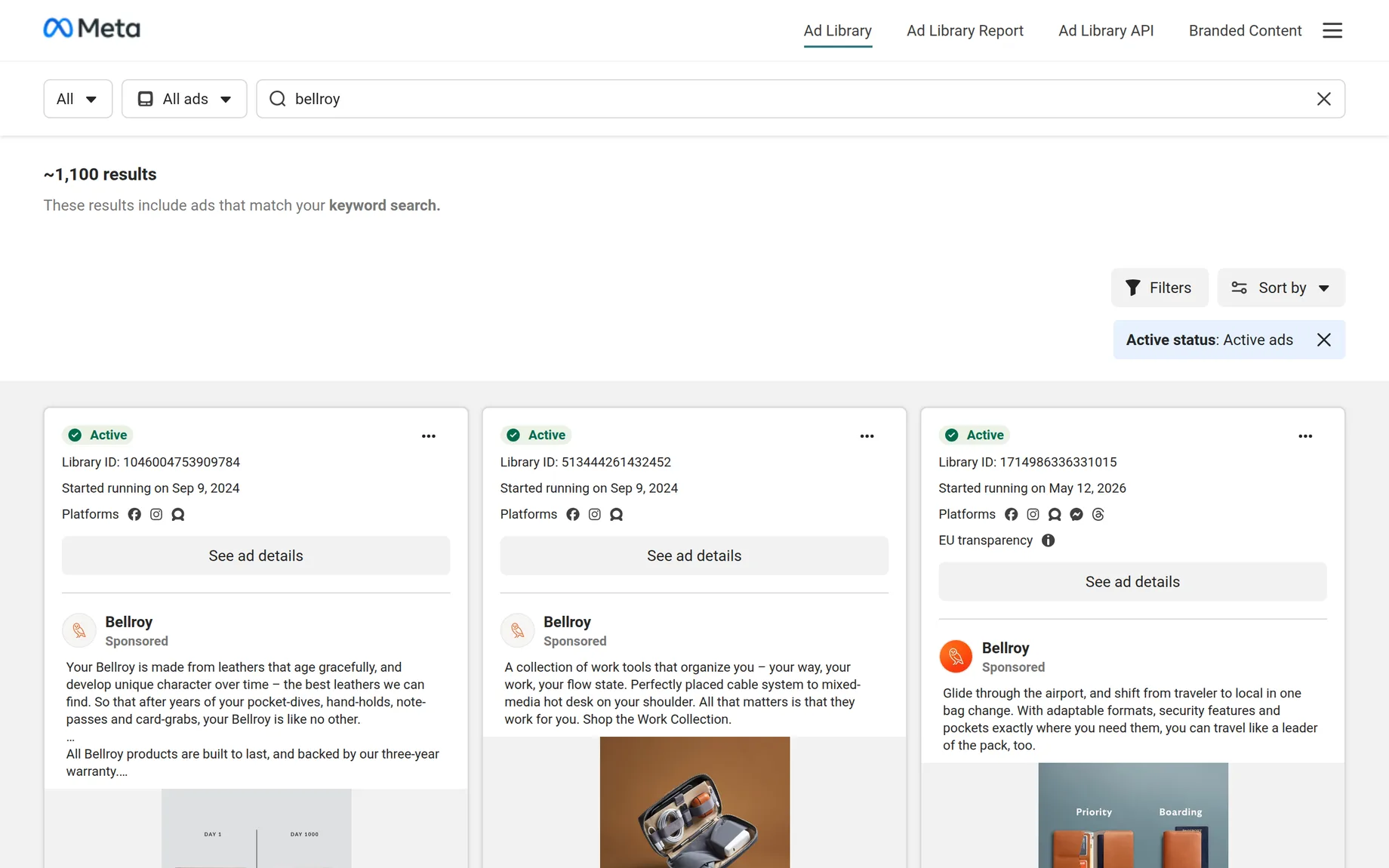
It was built for transparency, not for research. That shapes what it shows: plenty about the ad, very little about whether it works. The screenshot above is a real search for Bellroy. Every card is one ad, and three parts of it are worth reading.

Status and start date. Whether the ad is still live and the day it started. Bellroy's first two ads have run since 9 September 2024. The longer a live ad has run, the more likely it pays for itself.
The ad and its copy. The picture or video, the text above it, the link and the CTA. When a brand runs the same picture and text in several ads, the card says how many.
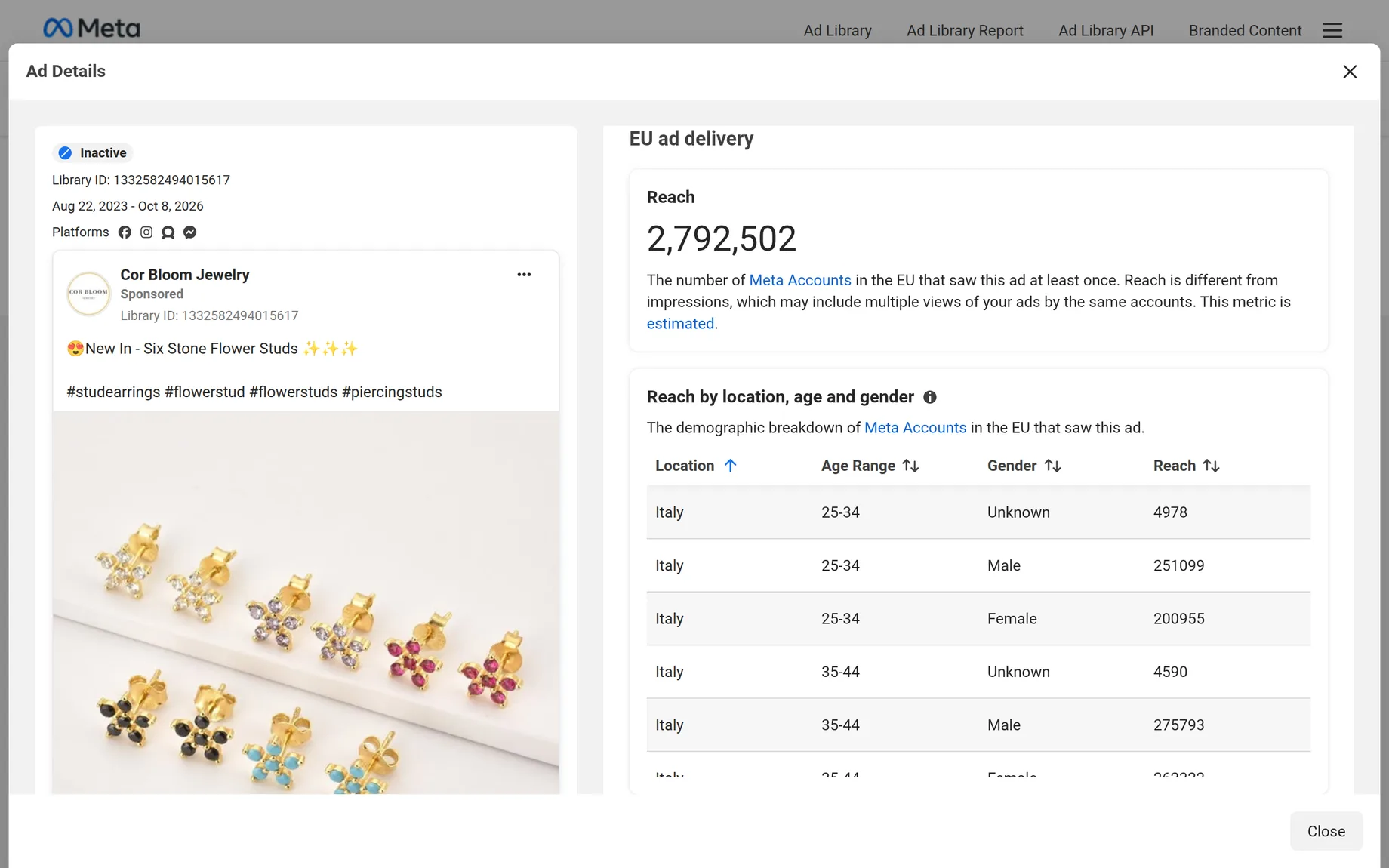
EU transparency. A sign the ad was shown in the EU. Open See ad details and you get how many people it reached, split by country, age and gender.
What every ad shows
Every ad running anywhere in the world shows the same basics. Ads shown in the EU show much more, because the EU's Digital Services Act requires it.
| What you see | Every active ad | Ads shown in the EU |
|---|---|---|
| The ad and its versions | Yes | Yes |
| Start date and platforms | Yes | Yes |
| Reach | No | Yes |
| Age, gender and country | No | Yes |
| Who paid for it | No | Yes |
| After it stops running | Gone | Kept for a year |
Political and social issue ads are the exception. For those, Meta also shows spend and impressions as ranges and keeps them for seven years.
What it never shows
No spend for ordinary ads, no clicks, no sales and no revenue. You can see that an ad reached millions of people in Europe, not whether it paid for itself. For most ads outside the EU you get even less: the ad and its dates, and nothing once it stops.
How to search it
- Pick a country
The first menu. Choose one country, or All. Pick an EU country when you want reach and audience.
- Choose All ads
The second menu. The other choice, Issues, elections or politics, only covers political ads.
- Search a keyword or an advertiser
A word finds every ad that mentions it, a name from the suggestions opens one advertiser's ads. Put words in quotes to match an exact phrase.
- Filter and sort
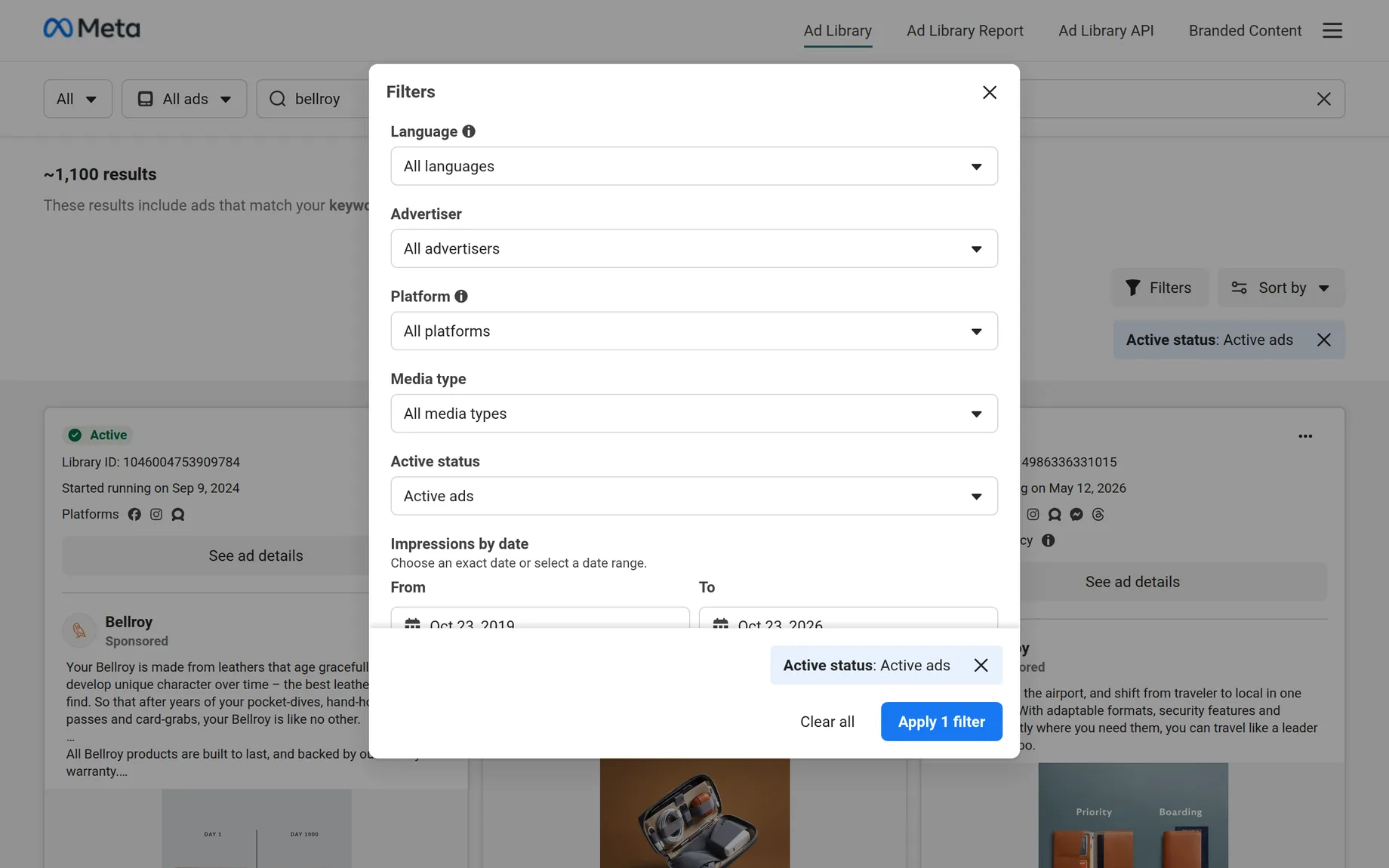
Filters narrow by language, advertiser, platform, media type, status and the dates an ad was seen. Sort by impressions puts the most seen ads first.
How to spot ads that work
Look at the start date. An advertiser only keeps paying for an ad that earns more than it costs. Bellroy has kept the same two ads live for more than two years, which says more than any comment count.
Keep the sort on impressions. It is the default, and it puts the ads Meta showed most at the top of a brand's results. Most recent shows what a brand is testing now.
Look for many versions of one ad. A brand running the same picture with several headlines is testing, and the version that survives is the winner.
Compare reach in the EU. Reach is the closest thing to spend the library shows. More reach means more money behind the ad. Cor Bloom Jewelry ran one picture of flower studs from August 2023 to October 2026, and it reached close to three million people in Europe.

Where it stops
The Ad Library answers what a brand is running, one brand at a time. It cannot tell you which brands are worth a look, it does not rank one brand's ads against another's, and it never says what an ad earned.
Reveal Metrics: the Ad Library, with what the ads earn
We built Reveal Metrics for the questions the library leaves open. It keeps every ad of thousands of brands, including the ones that have stopped, and turns the reach Meta publishes into an estimate of what each brand makes from its ads.
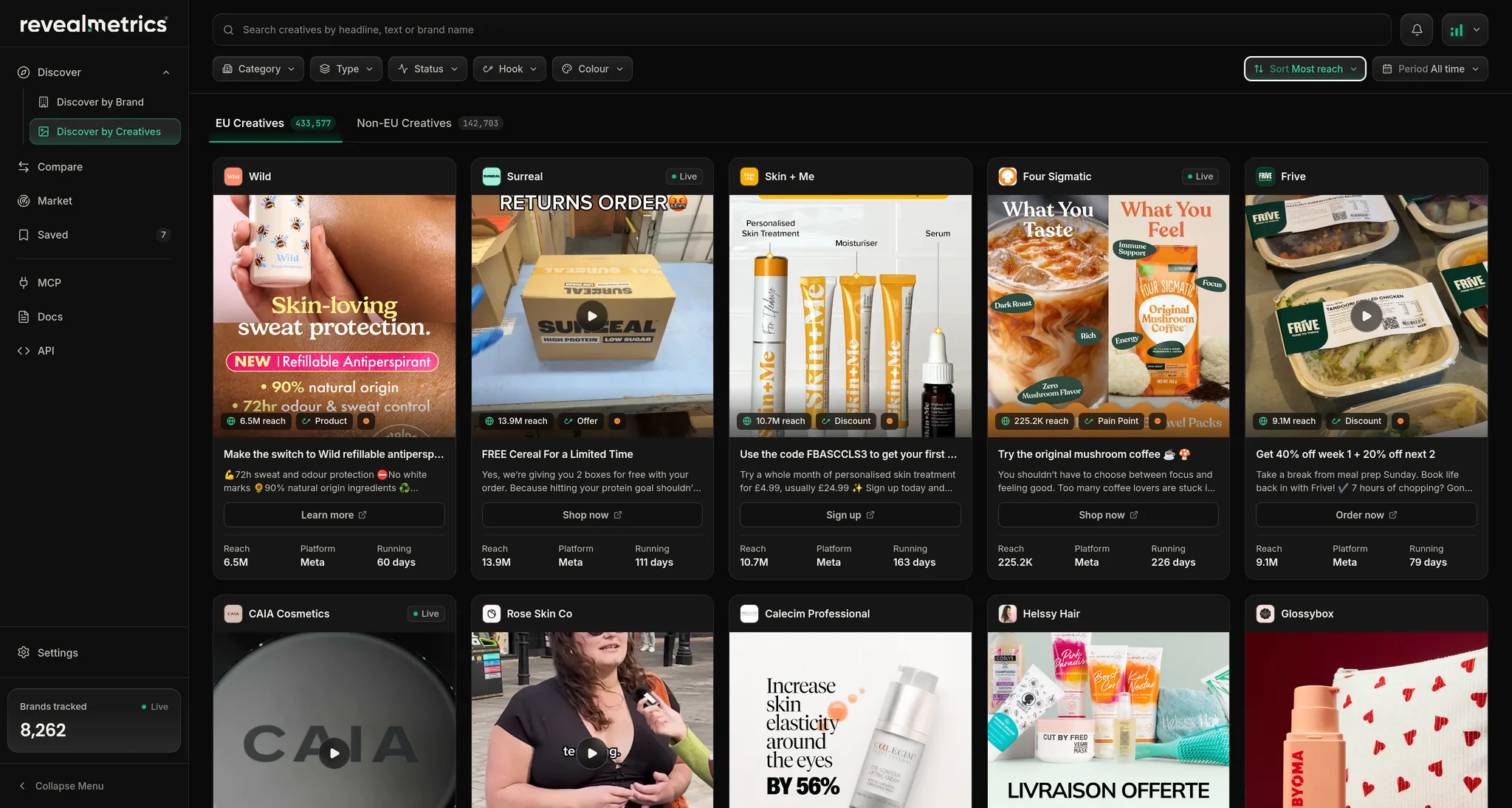
Instead of searching one name at a time, you browse every brand's ads in one gallery, sorted by reach or by how long they have run, and filtered by format, status and colour. Each ad shows its copy, reach, run length and where it was shown.
Open a brand and you get its report: estimated revenue with a year of history, its best ads, its audience by country, age and gender, its landing pages and the technology behind its site, with an AI read on what it does well.
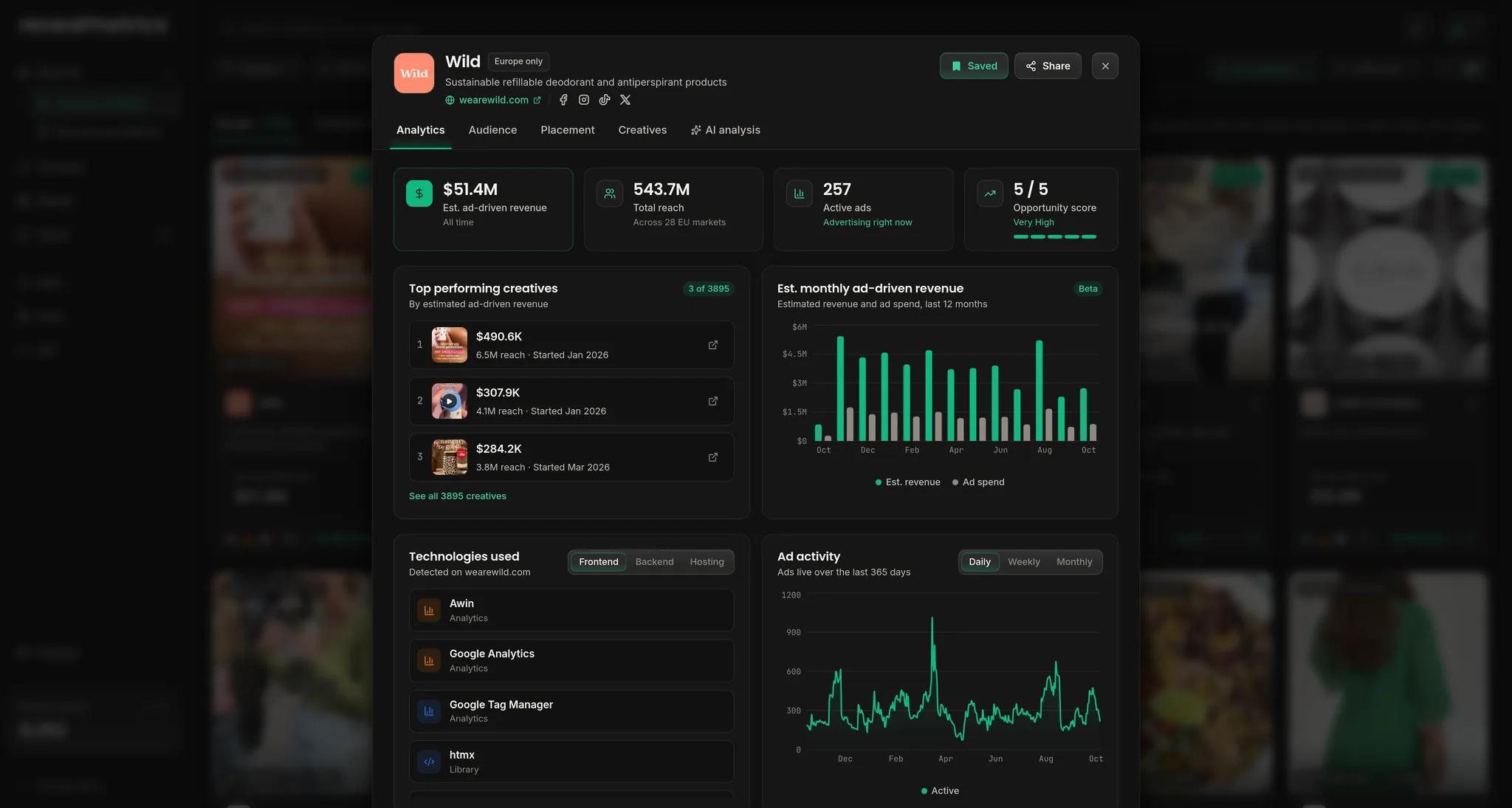
The full comparison is in Reveal Metrics vs the Facebook Ad Library.
Questions & Answers
Yes. Anyone can search it. Meta shows every active ad, and adds reach, audience and who paid for ads shown in the EU.
No. Anyone can search the Ad Library and open an ad's details without logging in.
Not for ordinary ads. Meta only shows spend for political and social issue ads. Reach in the EU is the closest clue, and it is what Reveal Metrics turns into a revenue estimate.
Only ads shown in the EU, which stay for a year after they stop, and political ads, which stay for seven years.

'%3e%3cellipse%20cx='570'%20cy='300'%20rx='450'%20ry='180'%20fill='%2334D399'%20fill-opacity='0.16'/%3e%3c/g%3e%3cdefs%3e%3cfilter%20id='filter0_f_0_65'%20x='0'%20y='0'%20width='1140'%20height='600'%20filterUnits='userSpaceOnUse'%20color-interpolation-filters='sRGB'%3e%3cfeFlood%20flood-opacity='0'%20result='BackgroundImageFix'/%3e%3cfeBlend%20mode='normal'%20in='SourceGraphic'%20in2='BackgroundImageFix'%20result='shape'/%3e%3cfeGaussianBlur%20stdDeviation='60'%20result='effect1_foregroundBlur_0_65'/%3e%3c/filter%3e%3c/defs%3e%3c/svg%3e)